“Ultimate Smart Slider - Wordpress” Documentation by “David Blanco” v2.0
“Ultimate Smart Slider - Wordpress”
Created: May/3/2013
By: David Blanco
Thank you for purchasing my item. If you have any questions that are beyond the scope of this help file, please feel free to email via my user page contact form here. Thanks so much!
Structure
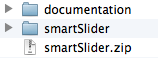
Copy the "smartSlider" folder and paste it inside your wordpress in the plugins folder (yourWordpress/wp-content/plugins).
Or upload the .zip file through the plugins option in your wordpress admin page.
Now activate the plugin:

Then you can modify some default options in this page:
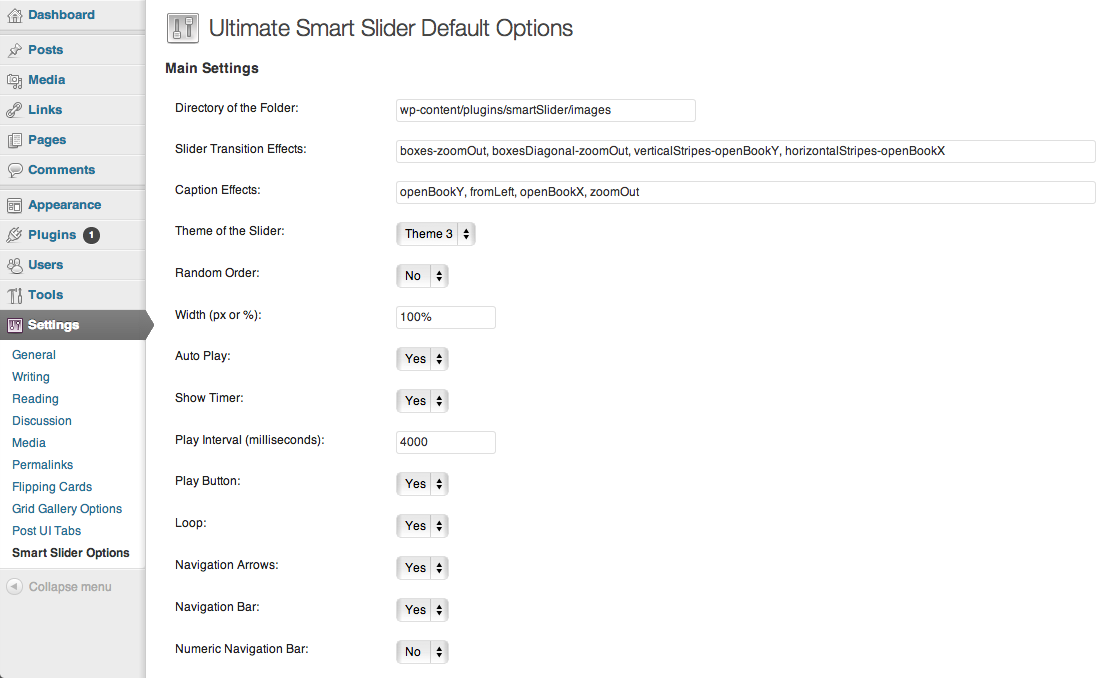
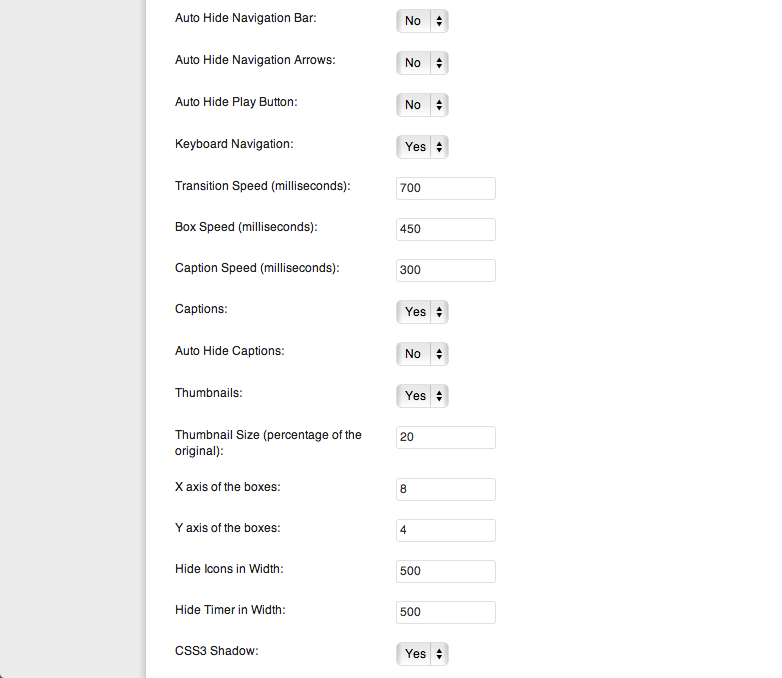
Some description of each option? here it is:
| Directory of the folder: | The directory where the plugin will read automatically all the images |
| Slider Transition Effects: | Specify the transition effects separated by commas |
| Caption Effects: | Specify the caption effects separated by commas |
| Theme of the Slider: | The theme of the slider (default, theme1, theme2, theme3) |
| Random Order | The order of the images will be random each time it loads |
| Width (px or %) | The width of the slider, if it set to 0 it will take the width of the largest image |
| Auto Play | auto play the images of the slider when is loaded |
| Show Timer | show the timer line |
| Play Interval (milliseconds) | Time between transitions when auto play is on |
| Play Button | show play button |
| Loop | when play is on if is set to "yes" start slideshow again when it finishes |
| Navigation Arrows | show prev and next arrows |
| Navigation Bar | show the navigation bar |
| Numeric Navigation Bar | If the navigation bar will show the numbers of images |
| Auto Hide Navigation Bar | if it set to "yes" then show the navigation bar only when you do a mouseover |
| Auto Hide Navigation Arrows | if it set to "yes" then show the prev and next arrow only when you do a mouseover |
| Auto Hide Play Button | if it set to "yes" then show the play button only when you do a mouseover |
| Keyboard Navigation | navigation with arrows right and left of the keyboard |
| Transition Speed (milliseconds) | The speed between transitions |
| Box Speed (milliseconds) | The animation speed of a single box (must be lower than transitionSpeed) |
| Caption Speed (milliseconds) | The animation speed of the caption |
| Captions | Show captions of the images that have text to show |
| Auto Hide Captions | if it set to "yes" then show the captions only when you do a mouseover |
| Thumbnails | Show thumbnails when hovering nav |
| Thumbnail Size (percentage of the original) | percentage (0 to 100) of the original image |
| X axis of the boxes | when using boxes the x axis |
| Y axis of the boxes | when using boxes the y axis |
| Hide Icons in Width | Hide the icons(arrows, plat btn, navbar) when the width is 500px or less for responsive design |
| Hide Timer in Width | Hide the timer when the width is 500px or less for responsive design |
| CSS3 Shadow | A CSS3 shadow of the slider |
These are all the effects available for the transitions of the images
- fade
- slide
- show
- fromTop
- fromBottom
- fromRight
- fromLeft
- fromTopRight
- fromBottomRight
- fromTopLeft
- fromBottomLeft
- openBookY
- openBookX
- zoomIn
- zoomOut
- boxes
- boxes-openBookY
- boxes-openBookX
- boxes-zoomIn
- boxes-zoomOut
- boxesOrder
- boxesOrder-openBookY
- boxesOrder-openBookX
- boxesOrder-zoomIn
- boxesOrder-zoomOut
- horizontalStripes
- horizontalStripes-openBookY
- horizontalStripes-openBookX
- horizontalStripes-zoomIn
- horizontalStripes-zoomOut
- verticalStripes
- verticalStripes-openBookY
- verticalStripes-openBookX
- verticalStripes-zoomIn
- verticalStripes-zoomOut
- boxesDiagonal
- boxesDiagonal-openBookY
- boxesDiagonal-openBookX
- boxesDiagonal-zoomIn
- boxesDiagonal-zoomOut
These are all the effects available for the captions of the images
- fade
- slide
- show
- fromTop
- fromBottom
- fromRight
- fromLeft
- openBookY
- openBookX
- zoomIn
- zoomOut
And you can add the gallery in your posts or in your pages just with this short code [smartSlider]
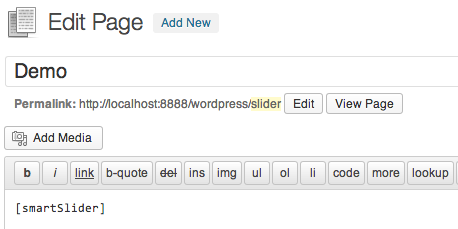
Now, you are wondering how to add the images to the slider, lets find out...
You can choose the folder where the plugin will read the images automatically in your Wordpress (in the admin page change the directory folder). By default the folder is in yourWordpress/wp-content/plugins/smartSlider/images and you can drag and drop images inside this folder via FTP super easy and the plugin will read them automatically to make the slider.
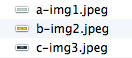
You can see a example of the folder here: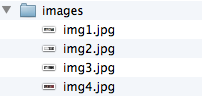
You want to add the images manually?
In that case you can add them manually inside the shortocode like this:

- You need to specify the effect for each image with the data-effect attribute of the image.
- Also specify the effect of the caption with the data-captioneffect attribute
- And the text you want to show in the caption put it in the data-caption attribute
You want the automatic reading images feature and add some of the images manually?
In that case you can add them manually inside the shortocode and also it will read automatically the images form the folder specify in your admin page (directory folder option) like this:

You want to create more sliders in your Wordpress, no just 1?
Now, if you want more sliders in your Wordpress you can pass some parameters to a specific shortcode in order to create a different slider, you can specify another directory of images and also with different effects, these are all the parameters available for a specific slider:

Some handy options
If you have the option of captions set to "yes", and you don't want an image to show its caption then just add at the end of the image name this: --
For example like this:
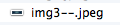
Also the images are in alphabetical order, so if you want to edit the order just add a-, b-, etc... at beginning of the name of the images like this (If you set the captions to "yes", the a-,b-, etc... will not be showing in the caption):